

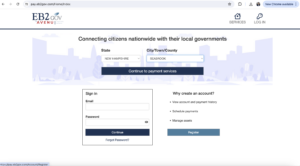
1. Go to www.pay.eb2gov.com
2. Click “Register as a new user”
3. Enter information in the below fields as requested and click “Register”
4. A confirmation email will be sent to the email you registered with.
5. Finish account set-up by locating the confirmation email and clicking “Activate My Account”